Hosted app: it is loaded from the developer's website, which may no longer exist.
Description
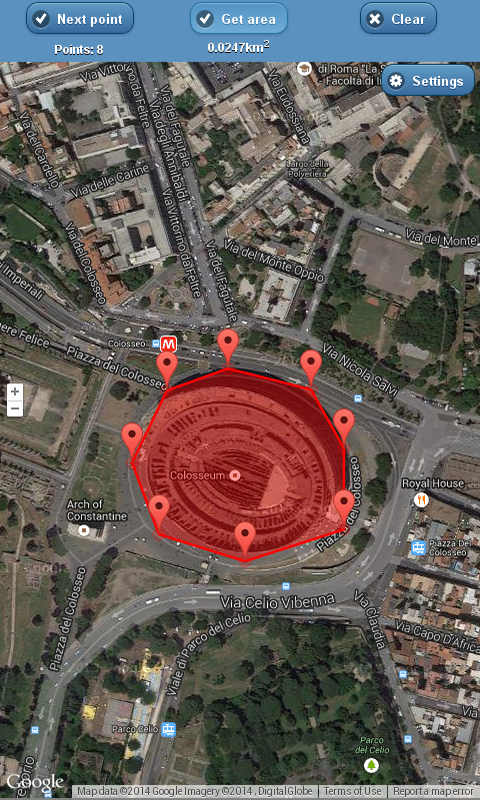
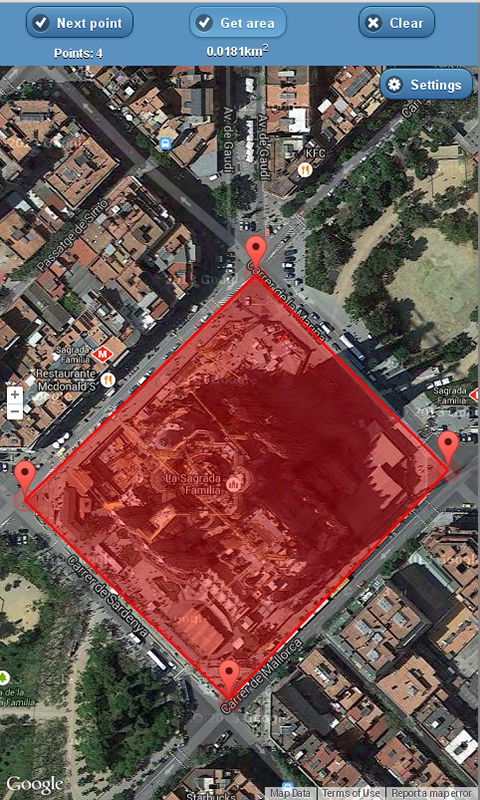
Area Meter allows you to calculate the area of a selected region. You just need to select a few locations in order to define the region using GPS. You need to have Internet connection enabled. The region will be displayed on the map and the area calculation will be done automatically.
Video tutorial: <a rel="nofollow" href="https://www.youtube.com/watch?v=hOxSTUbLWUk">https://www.youtube.com/watch?v=hOxSTUbLWUk</a>
How to read the area?
1. Move to your start position and press “Start point” button. You should see a marker on the map with your current position.
2. Proceed to your next location and press “Next point” button. Another marker should be placed on the map, which illustrates your second position.
3. Insert as many markers as you need.
4. Press “Get area” button to have the area calculation result under the button with a red polygon that marks it on the map.
Additional features
1. You can move markers using your finger to adjust them to a specific position.
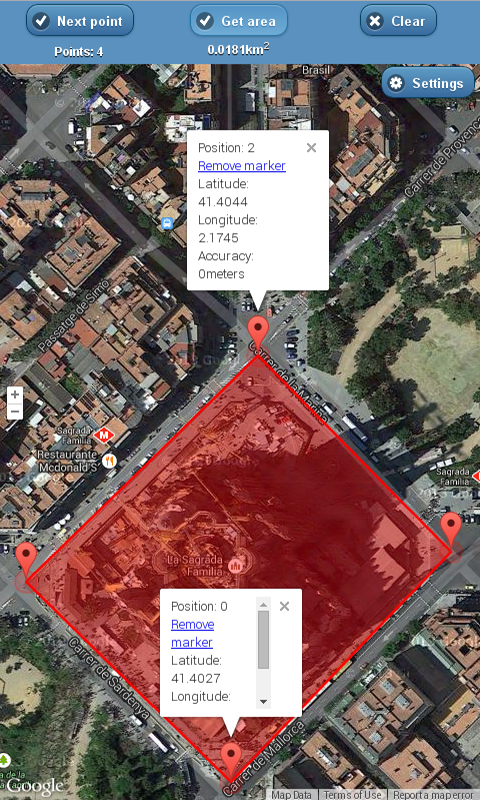
2. You can tap on each marker to see the details.
3. You can remove each marker in marker details window.
Information
- Type
- Hosted
- Version
- 3.11.2
- Published
- 2013-08-19
- Updated
- 2013-08-19
- Languages
- ru, fr, en-US, de, pt-BR, pl, es
- Devices
- desktop, android-mobile, android-tablet, firefoxos
- Homepage
- http://mobilenext.scislo.eu/mobile/area-meter
- Support
- http://mobilenext.scislo.eu/mobile/area-meter
- support@scislo.eu
- Manifest
- http://area.meter.scislo.eu/manifest.php
- ID
- 460811 · area-meter