
Privileged app: requires developer mode on the device (see setup page). →
Description
Network Tools for Penetration and Security Testing.
Net Tools has the following features:
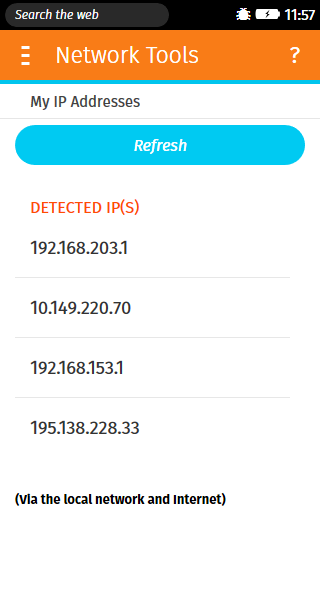
IP Address Viewer - By default the Firefox OS does not have a place to view your assigned IP address. With Net Tools you can see both your local LAN IP Addresses and you public WAN IP addresses.
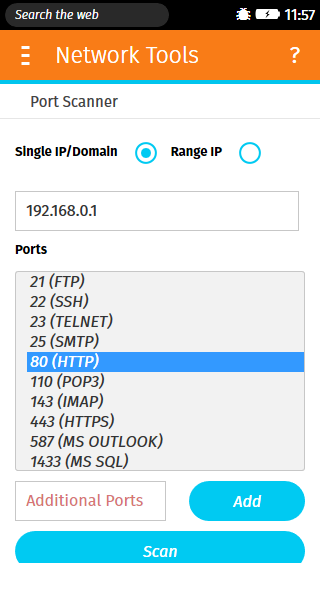
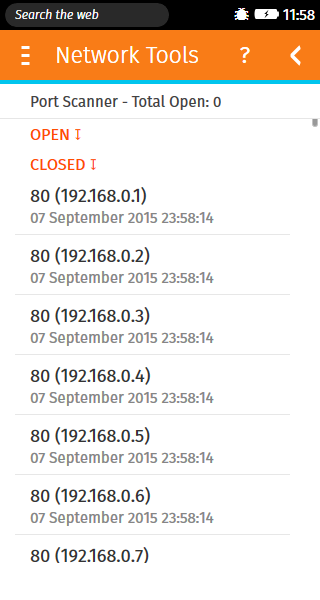
Port Scanner - Allows you to scan for open ports either on a single IP address or a range of them within a local network and on the Internet.
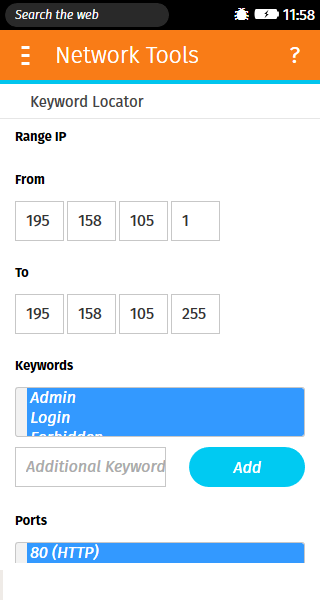
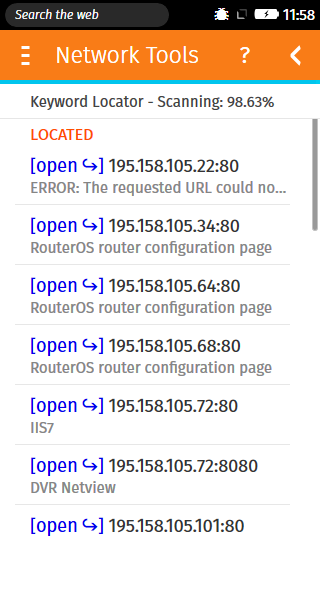
Page Keyword Locator - Allows you to scan a range of IP addresses on a single or a number of HTTP / HTTPS port numbers for a number of specified keywords. This is useful for finding hidden web services, unsecure login pages and other web pages that could be hidden and of great interest.
Permissions
browserUsed by Ad ServersystemXHRUsed by Local IP Address Lookuptcp-socketUsed by the Port Scanner to connect/ping the server
Information
- Type
- Privileged
- Version
- 0.1.0
- Size
- 207.1 KB
- Published
- 2015-09-07
- Updated
- 2015-09-07
- Languages
- en-US
- Devices
- firefoxos
- Homepage
- https://www.acewind.com
- Support
- https://lookuga.com
- lookuga@outlook.com
- Manifest
- mini-manifest · net-tools-0.1.0.zip
- ID
- 514152 · nettools